Start with the record, not the course
Many buyers search for training management software when they actually need better training records.
If your main issue is proving who completed what, which evidence exists and what needs renewing, choose a records system before choosing more course-delivery software.
Features to look for
Good training records software should make the next action clear, not just store a list of past training.
It should also support the messy reality of external training, certificates, policy confirmations and manager follow-up.
- Staff training records and training matrix
- Role-based requirements
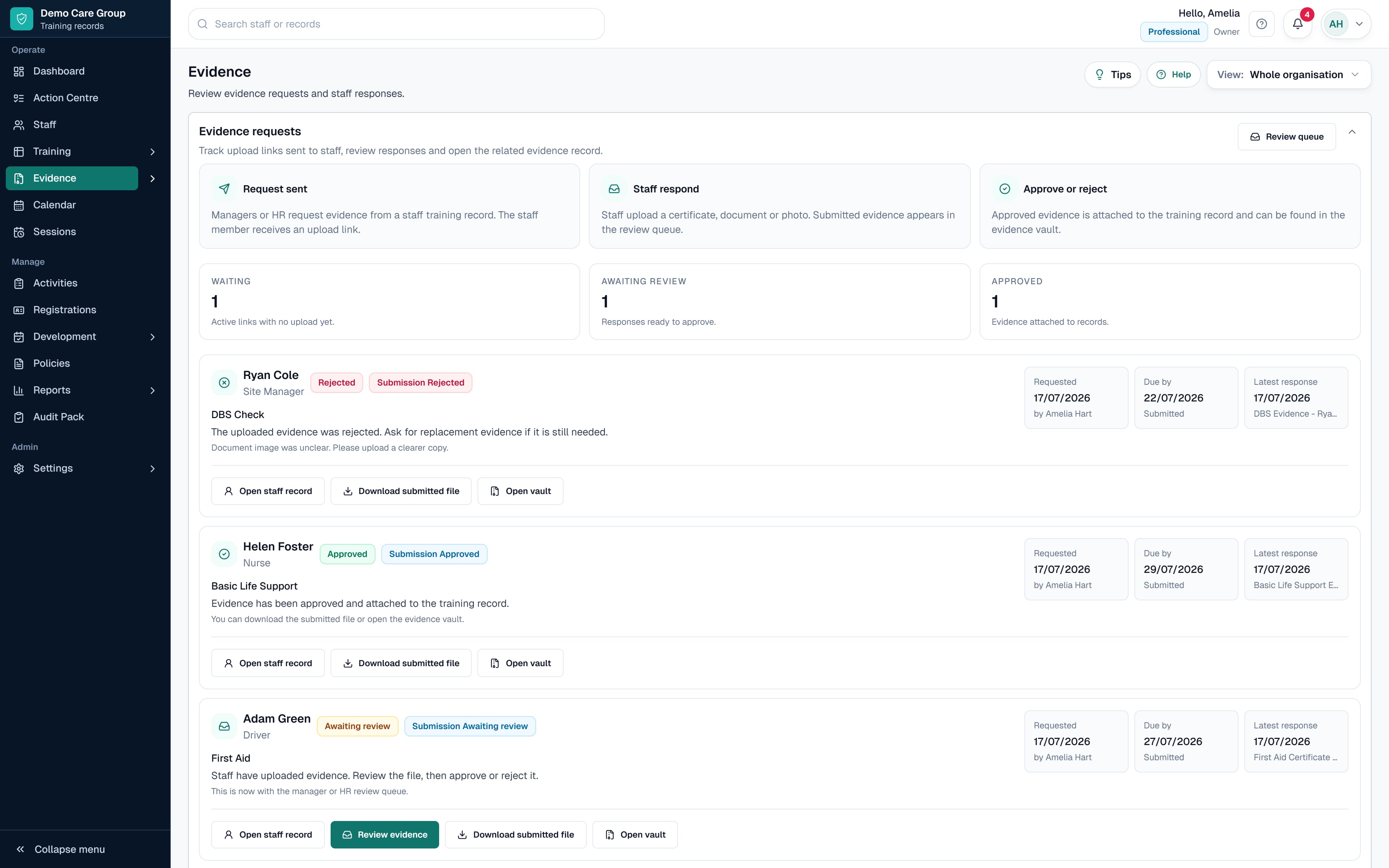
- Certificate and evidence uploads
- Renewal and expiry reminders
- Policy read confirmations
- Manager views and permissions
- Reports and audit packs
When SkillProof is and is not the right fit
SkillProof is a good fit when you need staff training records, evidence, policies, CPD, registrations and audit packs in one place.
It is not the right fit if your main requirement is to build and deliver e-learning courses.
Questions this guide answers
What should I look for in training records software?
Start with the record you need to maintain. Check whether the software can handle role requirements, completion and renewal dates, certificates, evidence review, manager access, reminders and reports without forcing you to buy course-delivery features you do not need.
Do I need an LMS or training records software?
Choose an LMS when you need to create, host or assign learning content. Choose training records software when the main job is keeping completions, external training, certificates, renewals, evidence and reports current. Some organisations use both.
Can training records software track external training and certificates?
Yes, if the product supports records from different providers. SkillProof can record internal or external training, completion and renewal dates, provider details and supporting evidence against the relevant staff member.