
Staff records
Keep training history tied to the right person and role.
Training records software
Open one person's training history, renewal dates and evidence without searching across spreadsheets, folders and inboxes.
14-day trial. No card. Use test data first.
Core records for this workflow are available from Starter; automation and advanced controls vary by plan. Compare plans.
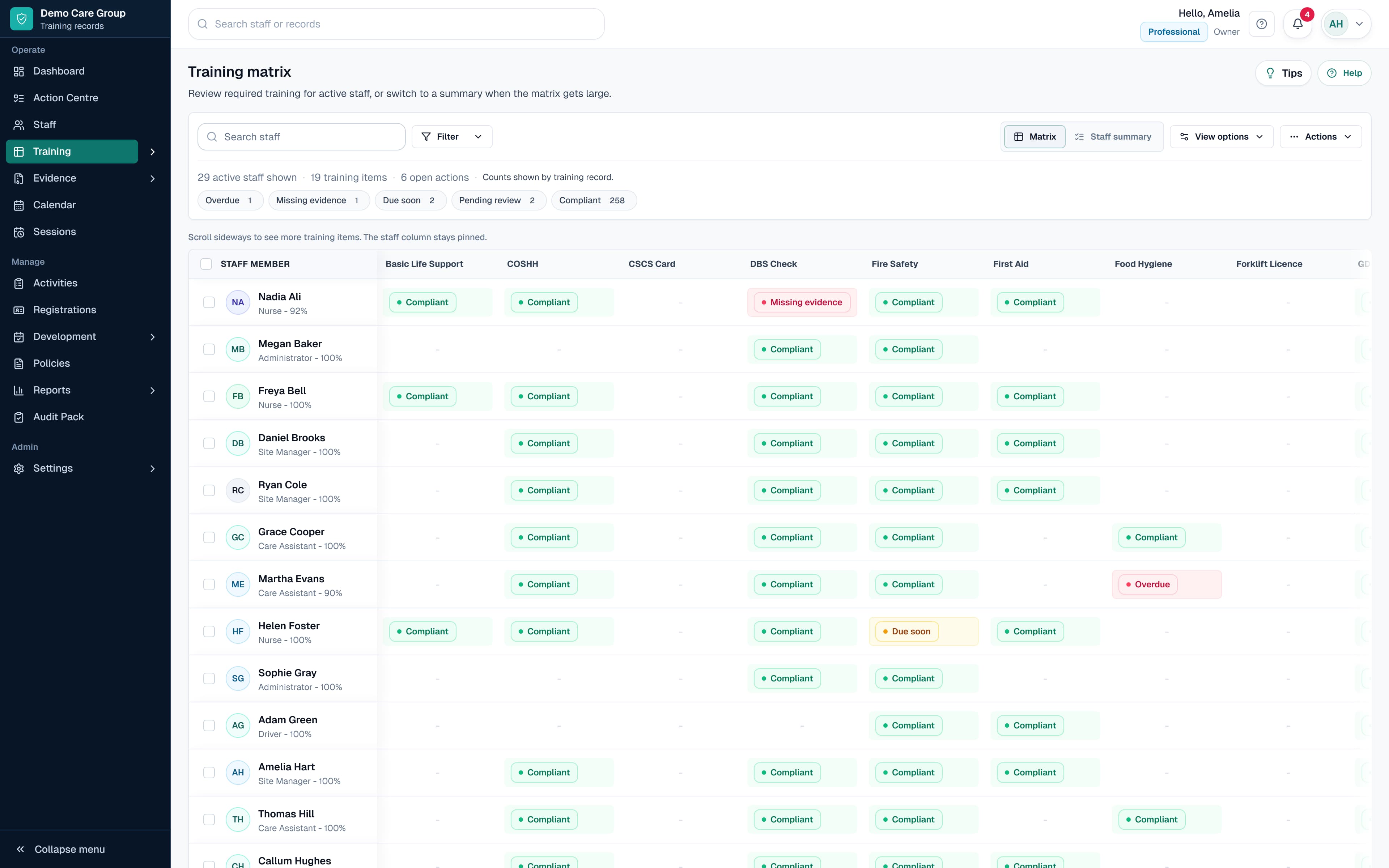
Real SkillProof product workflow shown with safe demo data.
Live status
This page focuses on the individual staff training record: what a person completed, when it renews, which evidence is attached and what still needs action. SkillProof keeps that history beside the person's role, site, department and manager. For the organisation-wide method of defining requirements, reviewing evidence and reporting across the workforce, use Training Records Management. SkillProof manages records rather than delivering e-learning courses.
Choose the right workflow
The same workflow, with the live record and the next action kept in front of the team.
Before SkillProof
With SkillProof
Live status
Use current records to see what is complete, due, overdue or missing, then open the record that needs attention.
Add staff records.
Create training items and renewal rules.
Apply training by role.
Record completions and attach evidence.
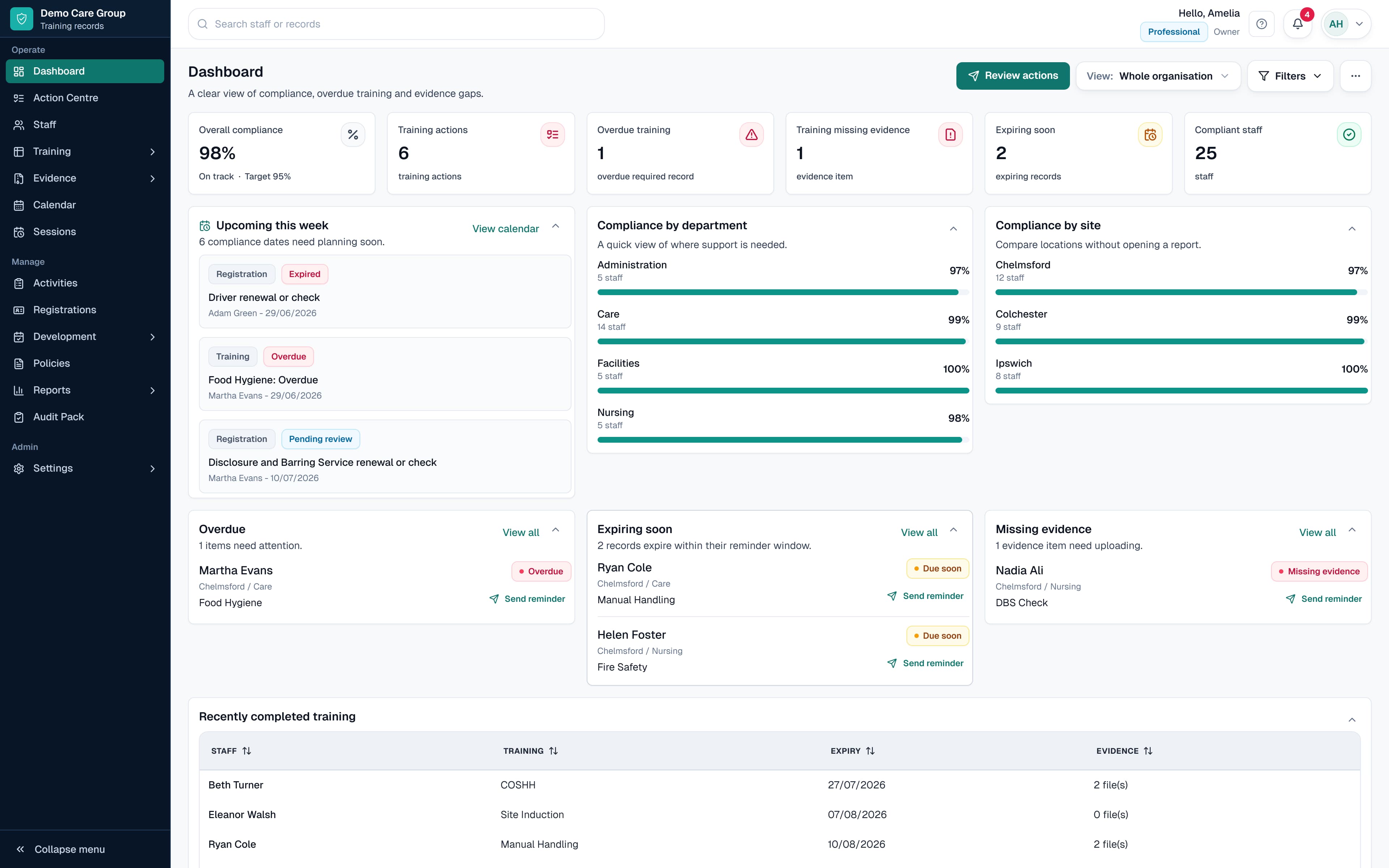
A real SkillProof product view shown with safe demo data. The exact records and controls available depend on the workflow and plan.
Teams need a reliable record of staff training, certificates, renewal dates and evidence.
Keep training history tied to the right person and role.
See whether proof is uploaded, missing or awaiting review.
Monitor expiry dates before they become overdue.
Export clear records for audits and internal reviews.
Dates and proof sit apart.
A spreadsheet may hold the completion date while certificates sit in email, folders or another system.
Renewals rely on manual checking.
Training expiry dates are easy to miss when nobody has a live due-soon and overdue view.
Reports take too long to prepare.
Teams often rebuild the same training records report before audits, tenders, board updates or internal reviews.
Create the staff record
Hold the person, role, site, department and manager context beside their training.
Link training by role
Apply training requirements through roles so records stay aligned when people move.
Attach evidence and renewal dates
Keep proof, expiry dates and missing-evidence status connected to the record.
Use reports and audit packs
Export the current picture without rebuilding it from spreadsheets and folders.
Straight answers about the record, workflow and product boundary.
No. An LMS usually delivers learning content. Staff training records software focuses on records, certificates, renewals, evidence and reporting.
Yes. SkillProof can record external training, certificate evidence, renewal dates and follow-up actions beside the staff record.
Yes. SkillProof is designed for teams moving from spreadsheets to live training records, evidence requests, renewal reminders and reports.
Open the next product workflow or guide when you need more detail.
Next step
Use SkillProof when you need live records, linked evidence, renewal dates, reminders and reports without buying a full LMS.
No card required. 14-day trial. Start with test data first.